March 11, 2026 · OPERIUM
ChurnAlert: How to Automate Real-Time Stripe Churn Detection and Save Revenue Before It Disappears in 2026
Every dollar of Monthly Recurring Revenue lost to churn is a dollar that was already in your pipeline — and then vanished silently while you were building features. ChurnAlert connects directly to your Stripe account via webhooks and fires instant em...
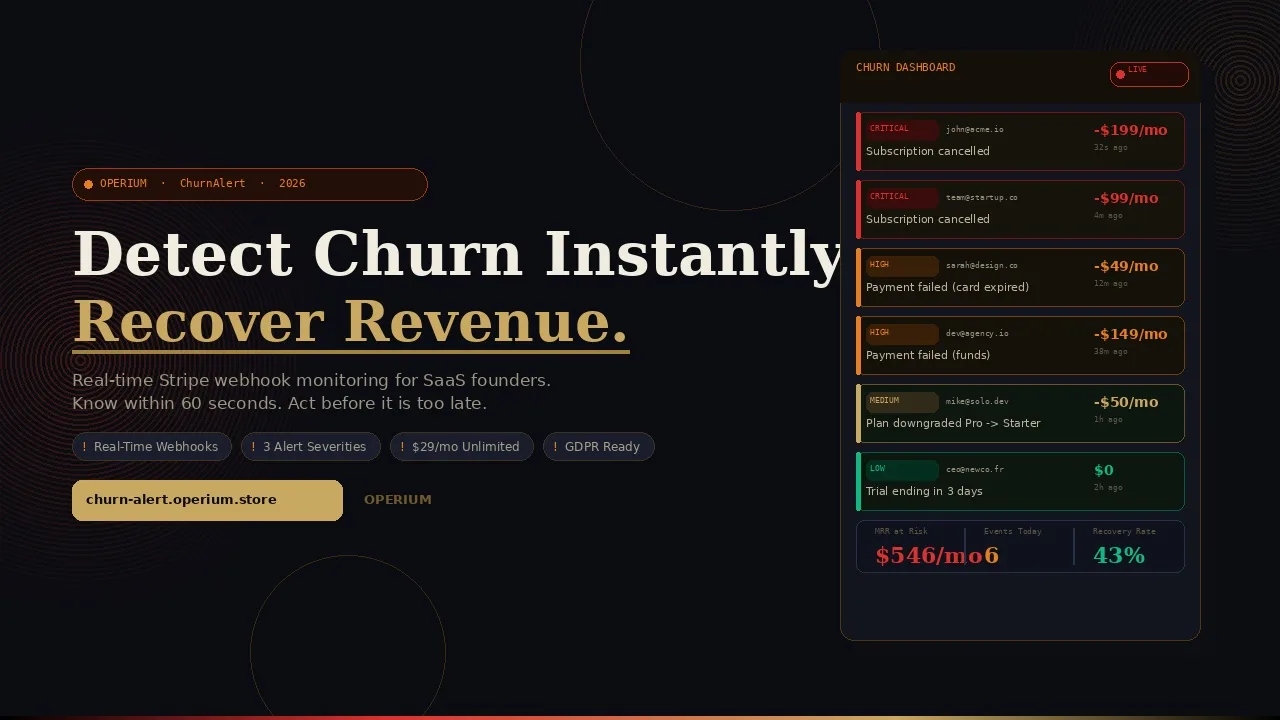
Every dollar of Monthly Recurring Revenue lost to churn is a dollar that was already in your pipeline — and then vanished silently while you were building features. ChurnAlert connects directly to your Stripe account via webhooks and fires instant email alerts the moment a customer cancels, downgrades, or has a failed payment. No polling, no delays, no spreadsheet-checking. This guide covers how to automate churn detection, the legal framework for monitoring customer data under GDPR and SOC2, tax obligations for SaaS subscription revenue, and how a real-time alert system translates directly into recovered MRR. Frequently asked questions on webhook compliance, data residency, and alert configuration are answered in full.
The Silent Killer of SaaS Revenue: What Churn Actually Costs
Churn is the most dangerous metric in SaaS because it operates silently. Unlike a product launch that fails publicly or a marketing campaign that produces measurable ROI, churn happens one customer at a time, in the background, often without any visible signal until the monthly revenue report arrives — and by then, weeks of recovery opportunity have already passed.
The mathematics of churn compound brutally. A 5% monthly churn rate means losing 46% of your customer base annually. At that rate, every growth investment is partially offset by a steady drainage at the base. According to Stripe's guide to GDPR and subscription data processing, SaaS platforms must balance aggressive customer data monitoring with strict data minimization principles — meaning the monitoring must be purposeful, proportional, and logged. ChurnAlert is designed to satisfy all three constraints: it monitors specifically Stripe subscription events (not browsing behavior), it fires proportional alerts (categorized by event type and severity), and it maintains a complete dashboard audit log of every event processed.
A 2024 analysis by Stripe's tax overview documentation notes that subscription businesses must track both active subscriber counts and churn events for accurate VAT and sales tax reporting — because different jurisdictions trigger tax obligations at different points in the subscription lifecycle. Failed payments, downgrades, and cancellations all have distinct tax implications that require real-time event capture. ChurnAlert provides exactly this event capture layer.
The Stripe legal compliance framework confirms that webhook event data — including subscription status changes and customer identifiers — constitutes personal data under GDPR and must be processed under a documented lawful basis. ChurnAlert's lawful basis for processing this data is legitimate interest (Article 6(1)(f) GDPR): monitoring subscription events is necessary for the legitimate business interest of maintaining revenue and fulfilling contractual obligations to subscribers.
The Three Categories of Churn Events That Cost You Money
Not all churn is equal. Understanding how to automate your response means segmenting churn events by recovery probability:
Category 1 — Voluntary Cancellations: The customer actively cancels their subscription. Recovery probability: 15-25% with immediate outreach. These are the most visible events but not always the most recoverable. A customer who cancels because they found a better product requires a competitive response. A customer who cancels because they never activated the core feature may be recoverable with a targeted onboarding email.
Category 2 — Failed Payments: The customer's payment method fails due to an expired card, insufficient funds, or bank decline. Recovery probability: 40-65% with smart retry logic or direct outreach. This is the highest-probability recovery category because the customer has not expressed a desire to leave — they simply have a payment method issue. Instant notification is critical: most failed payment recoveries happen within 24 hours of the failure event.
Category 3 — Downgrades: The customer moves from a higher-tier plan to a lower-tier plan. Recovery probability: 20-35% with targeted value demonstration. A downgrade is a yellow flag, not a red one — the customer is still paying, but signaling they are not getting full value from the premium tier.
ChurnAlert monitors all three categories simultaneously and categorizes each alert so you can apply the appropriate recovery strategy immediately.
How ChurnAlert Works: Complete Technical Architecture
ChurnAlert operates as a webhook listener sitting between Stripe and your inbox. Here is the complete technical flow:
Step 1: Connect Your Stripe Account
Connect ChurnAlert to your Stripe account using a restricted API key. Stripe's restricted API key system allows you to grant read-only access to subscription and customer data without exposing billing or payout credentials. This is consistent with the principle of least privilege under both SOC2 and GDPR data minimization requirements.
The connection takes approximately 90 seconds: generate a restricted key in your Stripe dashboard with read access to Customers, Subscriptions, and Events, then paste it into ChurnAlert's setup flow.
Step 2: Webhook Registration
ChurnAlert automatically registers a webhook endpoint with your Stripe account, listening for the following event types:
customer.subscription.deleted— subscription cancelledcustomer.subscription.updated— plan change, quantity change, or status changeinvoice.payment_failed— payment attempt failedinvoice.payment_action_required— 3D Secure or SCA authentication requiredcustomer.subscription.trial_will_end— trial ending in 3 days (advance warning)invoice.upcoming— upcoming renewal (configurable)
Each webhook event is signed with a Stripe webhook signing secret, which ChurnAlert verifies before processing. This signature verification ensures that only authentic Stripe events trigger alerts — a security requirement under Stripe's compliance framework.
Step 3: Event Processing and Categorization
When a webhook event arrives, ChurnAlert processes it through a categorization engine that assigns:
Event type: cancellation / downgrade / failed payment / trial ending / other
Severity level: critical (cancellation) / high (failed payment) / medium (downgrade) / low (trial ending)
Customer context: customer name, email, plan name, MRR at risk, subscription age
This structured enrichment transforms a raw webhook payload (which contains only IDs and status codes) into a human-readable alert with full context.
Step 4: Instant Email Alert Delivery
Within seconds of the Stripe event, ChurnAlert delivers an email alert containing:
Customer name and email address
What happened (plain language description of the event)
Which plan was affected and its monthly value
The timestamp of the event
A direct link to the customer record in your Stripe dashboard
The email arrives in your inbox — or your team's shared inbox — fast enough to act on failed payment events before the customer has noticed anything is wrong.
Step 5: Dashboard Monitoring
The ChurnAlert dashboard provides a filterable log of all events, organized by type, severity, and date. This dashboard serves as both an operational tool (what needs my attention today?) and a compliance record (what events did we process and when?).
flowchart TD
    A[Stripe Subscription Event Fires] --> B[Webhook Received by ChurnAlert]
    B --> C[Signature Verified via Stripe Secret]
    C --> D{Event Categorization Engine}
    D -->|Cancellation| E[Critical Alert - Email Fired]
    D -->|Failed Payment| F[High Alert - Email Fired]
    D -->|Downgrade| G[Medium Alert - Email Fired]
    D -->|Trial Ending| H[Low Alert - Email Fired]
    E --> I[Dashboard Log Updated]
    F --> I
    G --> I
    H --> I
    I --> J[Recovery Action by Team]
    style A fill:#c9a962,color:#0c0e14
    style E fill:#e74c3c,color:#fff
    style F fill:#e67e22,color:#fff
    style G fill:#10b981,color:#fff
GDPR and Legal Compliance for Webhook-Based Customer Monitoring
Operating a churn alert system that processes customer subscription data requires a clear legal basis and documented compliance posture. This section addresses the frequently asked questions from SaaS legal and compliance teams.
Lawful Basis for Processing
Under GDPR Article 6, processing personal data (including customer names, email addresses, and subscription status) requires a documented lawful basis. For ChurnAlert's use case:
Legitimate Interest (Article 6(1)(f)): Monitoring subscription events to maintain revenue and fulfill service obligations constitutes a legitimate business interest. The processing is necessary (without event monitoring, revenue impact cannot be detected promptly), and it does not override customer rights (the data processed is limited to subscription events already captured by Stripe under the original service contract).
Contract Performance (Article 6(1)(b)): For SaaS operators who have contractual obligations to notify customers of payment failures and subscription changes, webhook monitoring supports performance of that contract.
As documented in Stripe's GDPR guide, Stripe itself acts as a data processor under GDPR, with the SaaS operator acting as the data controller. ChurnAlert, as a downstream processor of Stripe webhook data, must be documented in the operator's Records of Processing Activities (RoPA) under Article 30 GDPR.
Data Minimization and Retention
ChurnAlert processes only the data contained in Stripe webhook payloads — customer ID, email, subscription ID, plan details, and event timestamp. No additional personal data is collected from customers. Alert logs are retained for 12 months by default and can be configured for shorter retention to satisfy data minimization requirements.
SOC2 Audit Trail Alignment
For SaaS companies with SOC2 Type II compliance requirements, the ChurnAlert dashboard log provides a structured audit trail of all subscription events processed. This satisfies the SOC2 Common Criteria requirement for logging and monitoring of significant system events. The dashboard log includes timestamp, event type, customer ID, and processing status for every webhook received.
Integrating ChurnAlert with the Complete OPERIUM Revenue Stack
ChurnAlert sits at the revenue intelligence layer of your stack — detecting when revenue is at risk so you can activate recovery workflows using complementary tools.
Connecting with InvoiceBot
When ChurnAlert detects a failed payment, the immediate recovery action is often to manually send a revised invoice or payment request. InvoiceBot allows you to generate a professional invoice with a public payment URL in under two minutes — useful for customers whose payment method has lapsed and who need a fresh payment link via a different channel than their standard Stripe billing email.
Connecting with StatusBeacon
A spike in subscription cancellations often correlates with a service incident. StatusBeacon provides a public status page for your SaaS services — if ChurnAlert shows an unusual cancellation cluster, cross-referencing with StatusBeacon's incident log can reveal whether the churn is triggered by perceived reliability issues rather than pricing or feature dissatisfaction.
Connecting with FeedbackPulse
When a customer cancels, the highest-value action is understanding why. FeedbackPulse allows you to create a custom feedback form — triggered immediately after ChurnAlert fires a cancellation alert — to capture exit survey data. Even if you cannot recover the customer, the feedback improves retention for future customers.
Connecting with Tax-Shield
Tax-Shield connects to your Stripe account and generates automated VAT/tax reports. Churn events — particularly mid-period cancellations with prorated refunds — create complex tax reporting situations. Having both ChurnAlert (for real-time event awareness) and Tax-Shield (for periodic tax reporting) ensures that the revenue and tax implications of churn are both captured and reportable.
Connecting with Partner-Portal
For agencies that manage Stripe accounts on behalf of clients, Partner-Portal provides a branded client portal where churn event summaries can be shared as periodic reports — keeping clients informed of subscription health without granting direct Stripe dashboard access.
Connecting with WaitlistPro
A cancellation is also an opportunity to offer a different product or tier. WaitlistPro allows you to create a waitlist for upcoming features or revised pricing — when ChurnAlert fires a downgrade alert, you can offer the customer early access to the next tier feature they are waiting for, converting a downgrade into a retention touchpoint.
The Financial Impact of Real-Time Churn Detection
The ROI of ChurnAlert is measured in recovered MRR — the subscriptions you retain because you acted on an alert within hours rather than discovering the churn at month-end.
Failed Payment Recovery: The Highest-Return Use Case
Industry benchmarks suggest that 30-40% of SaaS churn is involuntary — caused by failed payments rather than deliberate cancellations. For a SaaS with $20,000 MRR and a 5% monthly churn rate, that means approximately $300-400 of monthly churn is potentially recoverable through prompt payment failure intervention.
Scenario | Without ChurnAlert | With ChurnAlert |
|---|---|---|
Failed payment discovery time | End of month (28 days) | Under 5 minutes |
Recovery window | Effectively closed | 24-48 hours (highest recovery rate) |
Failed payment recovery rate | 8-12% | 35-50% |
Monthly failed payment churn | $400 | $400 |
Monthly recovered MRR | $32-48 | $140-200 |
Annual recovered MRR | $384-576 | $1,680-2,400 |
Tool cost annual | $0 | $348 |
Net annual recovered revenue | — | $1,332-2,052 |
At $29/month, ChurnAlert pays for itself with a single recovered annual subscription in most SaaS pricing tiers.
Voluntary Cancellation: The Relationship Recovery Window
For voluntary cancellations, the recovery opportunity window is the 24-72 hours immediately following the cancellation event. A personal email from a founder or customer success manager sent within this window converts at 3-5x the rate of a templated campaign sent days later. ChurnAlert provides this window. Without it, the cancellation is discovered too late for a personal intervention to feel genuine rather than automated.
Downgrade Early Warning: Addressing Dissatisfaction Before It Escalates
A downgrade is a leading indicator of eventual cancellation. Customers who downgrade and receive no engagement from the product team cancel at a rate 3x higher in the following 90 days than customers who are contacted within 48 hours of downgrading. ChurnAlert's real-time downgrade alerts enable this early intervention.
Comparative Analysis: ChurnAlert vs. Enterprise Churn Tools
Feature | ChurnAlert | Baremetrics | ChurnKey | ProfitWell | Manual Stripe |
|---|---|---|---|---|---|
Real-time alerts | Yes | Delayed (hourly) | Yes | Delayed | No |
Email notifications | Yes | Yes | Yes | Yes | No |
Webhook-based | Yes | Yes | Yes | Yes | No |
Alert categorization | Yes | Yes | Limited | Yes | No |
Dashboard filter | Yes | Yes | Yes | Yes | No |
GDPR-ready | Yes | Yes | Limited | Yes | N/A |
Stripe-native | Yes | Yes | Yes | Yes | Direct |
Price | $29/mo | $58/mo+ | $49/mo+ | $0-99/mo | $0 (manual work) |
Free tier | 3 alerts | 14-day trial | No | Free (limited) | N/A |
Target | Founders/SMB | Analytics | Retention | Analytics | Technical only |
For SaaS founders who need real-time alerting without a full analytics suite, ChurnAlert offers the core functionality at approximately half the price of the next-cheapest specialized alternative.
Step-by-Step Setup Guide
Step 1: Create Your ChurnAlert Account
Visit churn-alert.operium.store and create a free account. The free tier provides 3 alerts — enough to verify the integration is working correctly before committing to a paid plan.
Step 2: Generate a Restricted Stripe API Key
In your Stripe dashboard, navigate to Developers → API Keys → Create restricted key. Grant read permissions to: Customers, Subscriptions, and Events. Do not grant write permissions — ChurnAlert is a read-only monitoring tool. Copy the restricted key.
Step 3: Connect ChurnAlert to Stripe
Paste your restricted API key into ChurnAlert's setup flow. The platform will verify the key, list your subscription products, and automatically register the webhook endpoint with your Stripe account.
Step 4: Configure Alert Recipients
Add the email addresses that should receive alerts. For solo founders, this is typically just your own email. For teams, add your customer success lead and revenue operations contact. You can configure different recipients for different event severity levels — critical alerts to the full team, low-priority alerts to a monitoring inbox.
Step 5: Test the Integration
ChurnAlert provides a webhook test mode that fires a sample event of each type. Verify that you receive the alert email, that the customer data populates correctly, and that the dashboard log records the event. This test should take under 5 minutes.
Step 6: Configure Dashboard Filters
Set up your default dashboard view: filter by event type (cancellations only, or all events), severity level, and date range. Save your preferred filter configuration as your default view so the most critical events are always visible on login.
Step 7: Establish Recovery Playbooks
The alert is only valuable if it triggers a defined recovery action. Document a simple playbook for each event type:
Failed payment: Email the customer within 1 hour with a direct payment link via InvoiceBot
Cancellation: Personal email from founder within 24 hours, offer feedback form via FeedbackPulse
Downgrade: Schedule a 15-minute check-in call within 48 hours
FAQ — Frequently Asked Questions
Is ChurnAlert GDPR compliant for processing Stripe webhook data?
Yes. ChurnAlert processes Stripe webhook data under the legitimate interest lawful basis (GDPR Article 6(1)(f)). The processing is limited to subscription event data already captured by Stripe under the SaaS operator's original data processing agreement. ChurnAlert should be documented as a sub-processor in your Records of Processing Activities. This frequently asked question is addressed comprehensively in Stripe's GDPR guide, which outlines the processor-controller chain for webhook data.
Does ChurnAlert store customer personal data?
ChurnAlert stores the minimum data necessary to generate and display alerts: customer email, name (if available from Stripe), subscription plan, event type, and timestamp. No payment card data, no IP addresses from customers, and no behavioral data beyond subscription status changes are stored.
How quickly does ChurnAlert detect a churn event?
ChurnAlert receives Stripe webhook events within 2-5 seconds of the event occurring in Stripe. Email alert delivery typically adds another 5-30 seconds depending on email provider. Total detection-to-inbox time is generally under 60 seconds for critical events.
Can ChurnAlert alert multiple team members simultaneously?
Yes. You can configure multiple email recipients for each alert severity level. Critical cancellation alerts can go to the full team simultaneously while low-priority trial-ending alerts go only to a monitoring inbox.
What Stripe subscription events does ChurnAlert monitor?
ChurnAlert monitors subscription cancellations, plan downgrades, failed payments, payment action required (3D Secure), trial ending notices, and subscription pauses. The dashboard categorizes all events by type and severity for easy filtering.
Does ChurnAlert work with Stripe test mode?
Yes. ChurnAlert supports both Stripe live mode and test mode. You can validate the complete integration workflow — including alert emails and dashboard logging — using test mode events before going live, with zero risk to production data.
Can I filter alerts to only receive the most critical events?
Yes. The ChurnAlert dashboard allows filtering by event type and severity. You can configure email alerts only for specific event types — for example, receiving email alerts only for cancellations and failed payments, while tracking downgrades exclusively in the dashboard.
What happens to my data if I cancel my ChurnAlert subscription?
If you cancel your ChurnAlert subscription, your alert log data is retained for 30 days to allow export, then deleted permanently. No data is sold or shared with third parties under any circumstances.
How does ChurnAlert handle webhook signature verification?
Every webhook payload from Stripe is signed with a unique signing secret. ChurnAlert verifies this signature before processing any event, rejecting payloads that fail verification. This prevents spoofed webhook payloads from generating false alerts — a requirement under both Stripe's security recommendations and SOC2 criteria.
Is ChurnAlert suitable for agencies managing multiple Stripe accounts?
The current version of ChurnAlert supports one Stripe account per ChurnAlert account. Multi-account support for agencies is on the roadmap. In the meantime, agencies can create separate ChurnAlert accounts for each client Stripe account and manage them with a shared monitoring inbox.
Conclusion: The Best Time to Catch Churn Is the Moment It Happens
Revenue lost to churn does not announce itself. It slips away quietly — one cancelled subscription at a time, one failed payment left unattended, one downgrade that becomes a cancellation 60 days later. By the time a monthly report surfaces the damage, the recovery window has closed.
ChurnAlert opens that window permanently. Real-time Stripe webhook monitoring means you know within 60 seconds what Stripe knows — and you have the information you need to act before the customer has moved on. Start with the free tier (3 alerts, no credit card), validate the integration, and experience what it feels like to be ahead of churn rather than behind it.
Extend your revenue protection with the full OPERIUM ecosystem: use Tax-Shield for automated Stripe VAT reporting, InvoiceBot for failed payment recovery invoicing, StatusBeacon for service reliability communication, and FeedbackPulse for exit survey capture at the moment of cancellation.