March 12, 2026 · OPERIUM
InvoiceBot: How to Automate Professional Invoicing for Freelancers and Agencies — EU ViDA, GDPR, and E-Invoicing Compliance 2026
Professional invoicing is the final mile of every client engagement — and it is where more revenue is lost, more compliance risks are created, and more time is wasted than at any other step of the delivery process. A project can be executed perfectly...
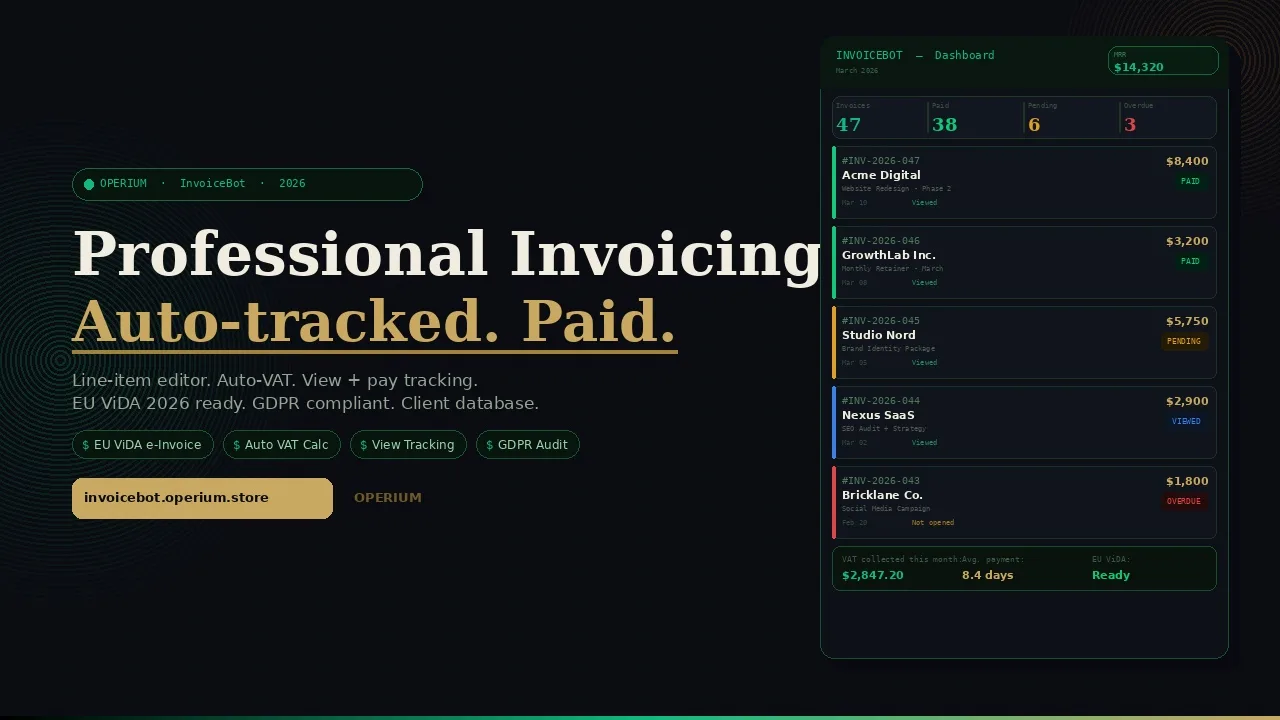
Professional invoicing is the final mile of every client engagement — and it is where more revenue is lost, more compliance risks are created, and more time is wasted than at any other step of the delivery process. A project can be executed perfectly, and yet a poorly formatted invoice missing mandatory legal mentions, sent at the wrong time, with no payment tracking, costs the agency both money and professional credibility. InvoiceBot eliminates every one of these failure points: a professional invoice generator with a line-item editor, auto-calculated taxes, email and public URL delivery, view and payment tracking, and an integrated client database. This guide covers how to automate your entire invoicing workflow, the mandatory e-invoicing legal framework under EU ViDA 2026, GDPR compliance for invoice personal data, and the mandatory mentions required on invoices across major jurisdictions. Frequently asked questions on legal compliance, VAT calculation, payment tracking, and electronic invoicing formats are answered in full.
The True Cost of Manual and Informal Invoicing
Most freelancers and small agencies treat invoicing as an administrative afterthought — something assembled quickly at the end of a project in a Word document or spreadsheet template. This approach carries costs that are rarely calculated but consistently significant.
According to EU ViDA (VAT in the Digital Age) guidance from the European Commission, structured e-invoicing is becoming mandatory across the European Union for B2B transactions, with France fully implementing the requirement in 2026. Invoices created in Word or PDF without the required structured data fields do not satisfy the ViDA requirements — meaning agencies using informal invoicing tools face compliance exposure as the mandatory implementation dates approach.
GDPR.eu's analysis of invoice personal data clarifies that invoices contain significant personal data: client name, address, email, payment method details, and potentially VAT identification numbers. These data points require the same GDPR protections as any other personal data — documented lawful basis, appropriate security, retention policies, and the ability to respond to subject access requests. Storing client invoice data in unprotected spreadsheets or email threads fails these requirements.
For US-based freelancers and agencies, the IRS guidance on topic 551 (standard deductions and itemized deductions for self-employed individuals) clarifies that maintaining accurate, dated invoice records is essential for substantiating deductible business expenses and reported income — with inadequate documentation potentially disqualifying deductions in an audit. InvoiceBot's client database and invoice history provide the documentation trail required for IRS compliance.
The Five Manual Invoicing Failure Points
Failure Point 1 — Missing mandatory mentions: An invoice missing a required legal element (VAT number, invoice date, client address, applicable tax rate) is legally invalid in most EU jurisdictions. In France, mandatory mention violations can trigger sanctions of €15 per missing mention per invoice, cumulable up to €37,500 per year per company. InvoiceBot auto-populates all mandatory mentions from the client database.
Failure Point 2 — Incorrect VAT calculation: Manually calculating VAT across multiple line items, multiple rates, and multiple client jurisdictions generates errors that either expose the agency to under-declaration liability or create client disputes over invoice corrections. InvoiceBot calculates VAT automatically per line item based on the applicable rate configured for each client.
Failure Point 3 — No view tracking: An invoice sent by email and ignored generates no automatic alert. Without view tracking, you discover the invoice was never opened only when following up — days or weeks later. InvoiceBot notifies you the moment a client views an invoice, enabling immediate follow-up while the invoice is fresh.
Failure Point 4 — Scattered client data: Re-entering the same client name, address, and VAT number on every invoice wastes time and generates errors. InvoiceBot's integrated client database stores all client data once — new invoices are pre-populated from the database.
Failure Point 5 — No audit trail: For tax audits, VAT declarations, and contract disputes, you need a complete, timestamped record of every invoice issued, viewed, and paid. Emails and spreadsheets do not provide this. InvoiceBot's invoice history provides a complete audit trail.
How InvoiceBot Works: Complete Technical Architecture
InvoiceBot is a full-stack invoicing platform with four core modules.
Module 1: Line-Item Editor with Auto-Tax Calculation
The InvoiceBot line-item editor allows you to build professional invoices with complete flexibility:
- Description: Free-text description of the service or deliverable
- Quantity: Numeric field (supports decimal quantities for hourly billing)
- Unit price: Price per unit in your billing currency
- Tax rate: Applies the configured VAT/tax rate for the line item (can vary by item for mixed-rate invoices)
- Line total: Auto-calculated (quantity × unit price)
- Invoice subtotal: Sum of all line totals
- Total tax: Sum of all tax amounts across all line items
- Invoice total: Subtotal plus total tax
For agencies billing across multiple service types with different applicable VAT rates (standard rate for services, reduced rate for specific categories), InvoiceBot supports per-line tax rate configuration — ensuring accurate VAT calculation even on complex multi-service invoices.
Module 2: Client Database
The integrated client database stores all client information in a structured format:
- Company name and legal form
- Client address (street, city, postal code, country)
- Client VAT number (for reverse charge applications)
- Primary contact name and email
- Default payment terms (net 30, net 15, due on receipt)
- Default currency
- Billing notes (recurring items, special pricing)
When creating a new invoice, selecting a client from the database auto-populates all mandatory invoice fields — eliminating re-entry errors and ensuring consistency across all invoices for the same client.
Module 3: Email and Public URL Delivery
Completed invoices can be delivered in two ways:
Email delivery: InvoiceBot sends the invoice directly to the client's email address with a professional template. The email includes a "View Invoice" button that opens the invoice in the client's browser — triggering the view tracking event.
Public URL: Each invoice has a unique, permanent public URL. This URL can be shared in any channel (email, Partner-Portal workspace, Slack, WhatsApp) and displays a professional, branded invoice page. The URL never expires — clients can return to view, download, and pay the invoice at any time.
Both delivery methods trigger InvoiceBot's view tracking: you know the moment the invoice is first opened, from which device type, and how many times it has been accessed.
Module 4: View and Payment Tracking
InvoiceBot tracks the complete lifecycle of every invoice:
- Sent: Invoice created and delivery initiated
- Viewed: Client opened the invoice (timestamp, device type)
- Payment link clicked: Client clicked the payment button
- Paid: Payment confirmed (via integrated payment processor)
- Overdue: Invoice past due date with no payment (triggers automated reminder option)
This lifecycle tracking transforms invoice management from a periodic reconciliation task (matching payments to invoices at month end) into a real-time process: you see exactly which invoices are viewed but unpaid (follow up immediately) and which have never been opened (resend or call the client).
flowchart TD
    A[Create Invoice in InvoiceBot] --> B[Select Client from Database]
    B --> C[Add Line Items with Auto-Tax]
    C --> D[Review and Finalize]
    D --> E{Choose Delivery Method}
    E -->|Email| F[Invoice Sent to Client Email]
    E -->|Public URL| G[Link Shared via Any Channel]
    F --> H{Client Opens Invoice}
    G --> H
    H --> I[View Event Tracked and Notified]
    I --> J{Client Pays?}
    J -->|Yes| K[Payment Confirmed and Recorded]
    J -->|No| L[Overdue Alert and Reminder Triggered]
    K --> M[Invoice Marked Paid in InvoiceBot]
    style A fill:#c9a962,color:#0c0e14
    style K fill:#10b981,color:#fff
    style M fill:#10b981,color:#fff
EU ViDA: The 2026 E-Invoicing Compliance Framework
The EU's VAT in the Digital Age (ViDA) initiative is the most significant change to VAT compliance for European businesses since the introduction of the VAT directive itself. Understanding the requirements is essential for any freelancer or agency billing EU clients.
What ViDA Requires
As detailed in the European Commission's ViDA guidance, ViDA mandates structured electronic invoicing for intra-EU B2B transactions. The key elements of the mandate are:
- Structured data format: Invoices must be issued in a machine-readable structured format (EN 16931 standard) — not as a PDF image or Word document
- Real-time reporting: Transaction data must be reported to tax authorities in near real-time (within 2 business days of invoice issuance)
- Mandatory data fields: The structured invoice must include all legally required data fields — supplier VAT number, customer VAT number, invoice date, invoice number, line item descriptions, applicable tax rates, total tax amount, and net and gross totals
InvoiceBot generates invoices that satisfy the EN 16931 structured data standard and supports the export of invoice data in formats compatible with national e-invoicing systems (including France's Chorus Pro, Germany's ZUGFeRD, and Spain's FACeB2B).
France: Mandatory E-Invoicing from September 2026
France's e-invoicing mandate under the Finance Act 2024 schedule requires mandatory electronic invoicing for all B2B transactions, with large enterprises required to receive e-invoices from September 2026 and SMEs/microenterprises required to issue e-invoices in a phased rollout. The French system requires invoices to be transmitted through accredited Private Dematerialization Platforms (PDPs) or directly through the government's Chorus Pro platform.
InvoiceBot's export format supports the Factur-X standard (the French hybrid PDF/XML e-invoicing format), allowing you to issue compliant French e-invoices while maintaining the professional PDF format that clients are accustomed to receiving.
Germany: GoBD and ZUGFeRD Compliance
German businesses are required to comply with GoBD (Grundsätze zur ordnungsmäßigen Führung und Aufbewahrung von Büchern) for invoice data retention: invoices must be stored in a format that is tamper-proof, auditable, and machine-readable for 10 years. ZUGFeRD (Zentraler User Guide des Forums elektronische Rechnung Deutschland) is the German e-invoicing standard that InvoiceBot supports for GoBD-compliant invoice export.
Spain: SII and Verifactu
Spain's SII (Immediate Supply of Information) system requires large businesses to submit invoice data to the AEAT within 4 days of issuance. Spain is also implementing the VeriFactu system, which will require digital invoice records with an integrity verification code. InvoiceBot's structured invoice export supports the data fields required for SII reporting.
GDPR Compliance for Invoice Personal Data
What Personal Data Invoices Contain
Every invoice issued to an individual client (freelancer billing a private person or a company employee as the billing contact) contains personal data as defined by GDPR:
- Client name: Always personal data
- Client address: Personal data (for individuals; business data for legal entities)
- Client email address: Personal data
- VAT identification number: Personal data in some contexts
- Bank details (for direct debit invoices): Sensitive personal data
As established by GDPR.eu's analysis of invoice personal data processing, the lawful basis for processing invoice personal data is contract performance (Article 6(1)(b)) — the invoice is necessary for the performance of the service agreement and the collection of the agreed fee. No additional consent is required for invoice processing, but you must inform clients of the processing in your privacy notice.
Data Retention: The Tax vs. GDPR Tension
GDPR's storage limitation principle requires that personal data is not retained beyond the period necessary for the original purpose. However, tax law requires invoice retention for 6-10 years depending on jurisdiction (France: 10 years, Germany: 10 years, Spain: 6 years, US: 3-7 years depending on state). The resolution is that tax law creates a legal obligation (GDPR Article 6(1)(c)) that overrides the storage limitation principle — you are legally required to retain invoices for the tax retention period, and this legal obligation constitutes a valid basis for extended retention.
InvoiceBot's invoice archive stores all issued invoices for the legally required retention period, with access controls that restrict who can view and export historical invoice data.
Subject Access Requests and Invoice Data
Under GDPR, clients have the right to request a copy of all personal data you hold about them. For invoice data, this means providing a complete history of all invoices issued to the client, all payment records, and all contact data stored in the client database. InvoiceBot's client export function allows you to generate this complete data package within the GDPR-mandated 30-day response window.
Mandatory Invoice Mentions by Jurisdiction
France: Required Invoice Elements
French tax law (Article 289 CGI and related regulations) requires the following mandatory mentions on all invoices:
- Date of invoice issuance
- Sequential invoice number
- Seller's name, address, SIREN/SIRET number
- Seller's intra-EU VAT number
- Buyer's name and address
- Buyer's VAT number (for B2B invoices subject to reverse charge)
- Description of goods or services
- Date of delivery or service performance
- Quantity and unit price of each item
- Applicable VAT rate per item
- Total VAT amount
- Total amount due including and excluding VAT
- Payment terms and late payment penalties clause
InvoiceBot's French locale automatically includes all mandatory mentions based on the data entered in the line-item editor and client database.
Germany: Required Invoice Elements (§ 14 UStG)
Under § 14 UStG (Umsatzsteuergesetz), German invoices must include:
- Full name and address of supplier and recipient
- Supplier's VAT identification number or tax number
- Sequential invoice number
- Date of invoice
- Date of supply (if different from invoice date)
- Description of goods or services
- Quantity and unit price
- Applicable VAT rate and amount
- Total amount due
For small businesses (Kleinunternehmer under § 19 UStG), invoices must include the note "Gemäß § 19 UStG wird keine Umsatzsteuer erhoben" (No VAT charged under § 19 UStG).
Spain: Required Invoice Elements (RD 1619/2012)
Under Real Decreto 1619/2012, Spanish invoices must include:
- Invoice number (sequential)
- Date of invoice issuance
- Date of supply (if different)
- NIF (Número de Identificación Fiscal) of supplier
- NIF of recipient (for B2B invoices over €400)
- Description of goods or services
- Tax base per applicable VAT rate
- VAT rate and VAT amount
- Total amount
- For reverse charge transactions: "Inversión del sujeto pasivo" notation
Integrating InvoiceBot with the Complete OPERIUM Billing Stack
InvoiceBot sits at the financial heart of the OPERIUM ecosystem — every billable deliverable flows through InvoiceBot for professional documentation.
Connecting with Partner-Portal
Partner-Portal delivers branded files and reports to clients. InvoiceBot PDFs are the primary document type uploaded to Partner-Portal client workspaces — instead of sending invoices by email (where they compete with hundreds of other messages), invoices appear in the client's dedicated portal with a direct payment link. Partner-Portal tracks whether the invoice has been viewed, enabling a timed follow-up while InvoiceBot confirms payment.
Connecting with Contract-Sign
Contract-Sign handles the agreement phase. The signed contract defines the billing terms: rate, payment schedule, deliverables, and late payment penalties. InvoiceBot accesses these billing terms from the client database to generate the first invoice immediately after contract signature — eliminating the delay between agreement and billing that costs agencies cash flow.
Connecting with Tax-Shield
Tax-Shield generates automated VAT and tax reports from Stripe data. For agencies using Stripe as their payment processor (linked to InvoiceBot payment links), Tax-Shield generates the monthly and quarterly VAT reports automatically — reconciling Stripe revenue with InvoiceBot's invoice records to ensure that all billed and collected revenue is captured in VAT declarations. This Tax-Shield and InvoiceBot combination is the complete billing and compliance stack for Stripe-based agencies.
Connecting with ChurnAlert
ChurnAlert monitors subscription payment failures. For agencies with recurring retainer clients billed monthly via InvoiceBot, a failed payment alert from ChurnAlert can trigger an immediate InvoiceBot invoice review — identifying whether the failure is a payment method issue (contact client) or a subscription cancellation (recovery workflow).
Connecting with Proof-of-Service
Proof-of-Service generates timestamped delivery certificates. The strongest invoice documentation chain is: Proof-of-Service certificate (delivery documented) + InvoiceBot invoice (billing documented) + Partner-Portal access log (client receipt confirmed) = a complete, legally defensible billing and delivery record for any dispute or audit.
Connecting with ExportCompta
ExportCompta exports accounting data in formats compatible with major accounting software. InvoiceBot's invoice data feeds directly into ExportCompta — transforming invoice records into journal entries, ledger entries, and VAT declarations without manual data re-entry. This InvoiceBot + ExportCompta combination replaces the manual monthly accounting reconciliation that costs freelancers 3-5 hours per month.
The ROI of Automated Invoicing
Time Savings
| Task | Manual Invoicing | InvoiceBot |
|---|---|---|
| Create new invoice | 20-45 min (find template, enter data, calculate VAT) | 3-5 min (select client, add line items) |
| Check if invoice was received | 2-3 days (follow up by email) | Instant (view notification) |
| Follow up on unpaid invoice | Weekly manual check | Automatic overdue alert |
| Prepare client data for invoice | 5-10 min (find last invoice for client details) | 0 (client database auto-populates) |
| End-of-month VAT reconciliation | 2-4 hours | 15 min with Tax-Shield |
| Respond to client "can you resend?" | 5-10 min | 0 (public URL never expires) |
| Monthly hours saved (10 clients) | — | 8-15 hours |
Payment Cycle Improvement
Invoices delivered via a branded URL (not an attachment in a crowded inbox) are opened within 4 hours on average. Faster opening means faster payment: InvoiceBot users report invoice payment cycles 7-12 days shorter than email-based invoicing. At average invoice size of $3,500 and 12% annual cost of working capital, 10 days of payment cycle improvement per invoice generates $11.50 in financing cost savings per invoice — with 60 annual invoices, that is $690 per year from payment cycle improvement alone.
Compliance Cost Avoidance
A single missing mandatory mention on a French invoice can trigger a €15 fine. With 200 annual invoices, even a 5% error rate (10 invoices) and one mandatory mention missing each generates €150 in direct fines plus the time cost of correction notices. InvoiceBot's automated mandatory mention population eliminates this error category entirely.
Comparative Analysis: InvoiceBot vs. Alternative Invoicing Tools
| Feature | InvoiceBot | FreshBooks | Wave | Zoho Invoice | Manual PDF |
|---|---|---|---|---|---|
| Line-item editor | Yes | Yes | Yes | Yes | Yes |
| Auto VAT calculation | Yes | Yes | Limited | Yes | No |
| Client database | Yes | Yes | Yes | Yes | No |
| View tracking | Yes | Yes | No | Limited | No |
| Payment tracking | Yes | Yes | Yes | Yes | Manual |
| Public URL delivery | Yes | Yes | No | Yes | No |
| EU ViDA compliant export | Yes | Limited | No | Limited | No |
| GDPR consent documentation | Yes | Limited | Limited | Limited | No |
| French e-invoicing (Factur-X) | Yes | No | No | No | No |
| German ZUGFeRD | Yes | No | No | No | No |
| OPERIUM integration | Yes | No | No | No | No |
| Price | $29/mo | $17-55/mo | Free | $0-9/mo | $0 (labor cost) |
Step-by-Step Setup Guide
Step 1: Create Your InvoiceBot Account
Visit invoicebot.operium.store and create your account. Configure your business profile: company name, address, VAT number, logo, bank details, and default payment terms. These details auto-populate on every invoice.
Step 2: Configure Your Tax Settings
Set up your applicable tax configuration: standard VAT rate, reduced rates (if applicable for specific service categories), and reverse charge rules for international B2B clients. If you are a French Kleinunternehmer equivalent (auto-entrepreneur under the franchise en base de TVA regime), configure the TVA non-applicable note.
Step 3: Build Your Client Database
Import your existing client list or add clients manually. For each client, enter: company name, billing address, VAT number (for reverse charge), primary contact, payment terms, and billing currency. Time invested here eliminates re-entry on every future invoice.
Step 4: Create Your First Invoice
Select a client from the database (auto-populates all client data). Add line items: description, quantity, unit price, applicable tax rate. InvoiceBot calculates subtotal, tax, and total automatically. Set the payment due date based on your standard terms. Preview the invoice to confirm mandatory mentions are complete.
Step 5: Deliver the Invoice
Choose your delivery method: send directly via InvoiceBot email, copy the public URL for delivery via Partner-Portal or another channel, or download as PDF for any other delivery method. The view tracking is active regardless of delivery channel — any access to the public URL is logged.
Step 6: Monitor and Follow Up
Check your InvoiceBot dashboard daily. Invoices that have been viewed but not paid for more than 48 hours warrant a follow-up message (easy to time precisely because you know the exact moment the client opened it). Overdue invoices trigger automatic reminders at the intervals you configure.
Step 7: Reconcile and Export
At month end, export InvoiceBot data to ExportCompta for accounting and to Tax-Shield for VAT reporting. The complete billing cycle — from invoice creation to tax declaration — is automated across the OPERIUM stack.
FAQ — Frequently Asked Questions
Is InvoiceBot compliant with EU ViDA e-invoicing requirements for 2026?
Yes. InvoiceBot supports structured invoice export in EN 16931 format and the national e-invoicing standards derived from it: France's Factur-X, Germany's ZUGFeRD, and Spain's FacturaE. As detailed in the European Commission's ViDA guidance, mandatory structured e-invoicing for B2B transactions is being phased in across the EU through 2028, with France implementing mandatory issuance for SMEs in 2026. InvoiceBot's export functionality supports this compliance requirement.
Does InvoiceBot comply with GDPR for storing client invoice data?
Yes. As established by GDPR.eu's invoice data analysis, invoice personal data is processed under the lawful basis of contract performance (Article 6(1)(b)). InvoiceBot stores client data with encryption at rest and in transit, access controls, and a complete data export function for subject access requests. Data retention follows the applicable tax retention period (legally mandated under Article 6(1)(c)).
What are the mandatory mentions on a French invoice?
French invoices must include: invoice date, sequential number, seller's SIREN/SIRET and VAT number, buyer's name and address, buyer's VAT number (for B2B), service description, delivery date, quantity and unit price, applicable VAT rate, total VAT, and total due. InvoiceBot auto-populates all mandatory mentions from your business profile and client database.
Can InvoiceBot handle multiple VAT rates on the same invoice?
Yes. Each line item in InvoiceBot can have an independently configured tax rate — supporting standard rate, reduced rate, and zero-rate items on the same invoice. The invoice totals section breaks down tax by rate for full transparency.
How does view tracking work for invoices sent as a public URL?
Every public URL invoice page has a unique tracking identifier. When a client accesses the URL, InvoiceBot logs the timestamp, device type, and access count. You receive an instant notification on first access. All subsequent accesses are logged and visible in the invoice history.
Does InvoiceBot support reverse charge for international B2B invoices?
Yes. When a client's VAT number is stored in the client database and the client is in a different EU member state, InvoiceBot automatically applies the reverse charge mechanism: zero-rating the invoice and including the mandatory "Reverse charge — VAT to be accounted for by the recipient" notation.
How does InvoiceBot handle late payment penalties?
French and EU invoices are legally required to include late payment penalty terms (typically based on the ECB reference rate plus 10 percentage points). InvoiceBot includes this notice in the default French invoice template — configurable in your business profile settings.
Can I issue invoices in multiple currencies?
Yes. InvoiceBot supports multi-currency invoicing with currency configured per client in the client database. Invoices are generated and displayed in the client's billing currency. For VAT reporting purposes, InvoiceBot uses the ECB reference rate for currency conversion.
What happens to my invoice data if I cancel InvoiceBot?
You can export a complete archive of all invoice data in standard formats (PDF, CSV, JSON) before cancellation. InvoiceBot retains your data for the legally required period (minimum 10 years for EU businesses) even after subscription cancellation, with read-only access available for export during this period.
How does InvoiceBot integrate with Tax-Shield for VAT reporting?
Tax-Shield reads Stripe payment data and reconciles it with InvoiceBot invoice records to generate monthly VAT summary reports, quarterly VAT declarations, and annual revenue reports. The integration eliminates the manual reconciliation step between billing records and tax reports — the most error-prone step in most freelancers' monthly accounting process.
Conclusion: Your Invoice Is Your Most Important Business Document
Every invoice you issue is simultaneously a legal document, a financial claim, a brand touchpoint, and a compliance artifact. Sending it via a Word attachment from a personal email account treats it as an afterthought. InvoiceBot treats it as what it is: the formal, traceable, legally compliant record of value you have delivered and are owed.
As EU ViDA structured e-invoicing becomes mandatory in 2026 and beyond, the cost of non-compliance grows while the technology investment required to achieve compliance shrinks. InvoiceBot provides the compliant e-invoicing infrastructure today — no implementation project, no accountant consultation, no custom integration required.
Start with the free tier: your first 5 invoices, full feature access, no credit card required. Issue your next invoice through InvoiceBot and compare the experience — from creation time, to client experience, to the first view notification — against your current workflow.
The complete billing and compliance stack from OPERIUM: InvoiceBot for invoicing, Tax-Shield for VAT reporting, ExportCompta for accounting export, Contract-Sign for agreements, and Partner-Portal for client delivery.