March 11, 2026 · OPERIUM
How to Sign Contracts Online Legally and Securely in 2026: The Complete Guide to E-Signatures
Electronic signatures are now legally binding in over 60 countries — yet most freelancers and agencies still send contracts as email attachments and chase clients for wet-ink signatures that arrive weeks late, or never. Contract-Sign changes this: up...
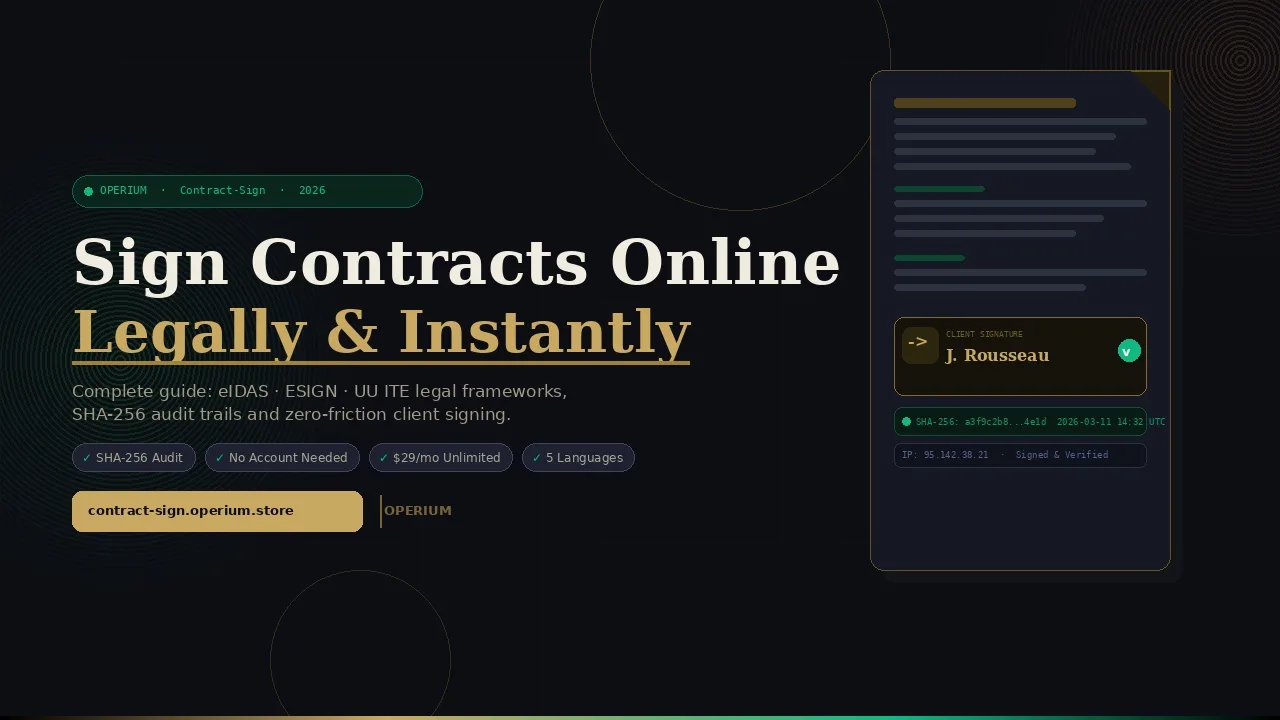
Electronic signatures are now legally binding in over 60 countries — yet most freelancers and agencies still send contracts as email attachments and chase clients for wet-ink signatures that arrive weeks late, or never. Contract-Sign changes this: upload a PDF, place signature zones, and send a unique signing link in under 90 seconds. Recipients sign directly in their browser — no account, no app download, no friction. Every signed document generates a tamper-proof audit certificate with IP address, timestamp, and SHA-256 document hash that holds up in court. This guide covers everything you need to know about how to automate your contract workflow, the legal framework governing e-signatures globally, and why a lightweight tool outperforms bloated enterprise platforms for most business use cases.
Why E-Signatures Are No Longer Optional for Freelancers and Agencies
The paper contract is a liability. A 2024 McKinsey report on digital workflows found that companies still relying on manual document signing lose an average of 21 days per contract cycle — days spent printing, scanning, emailing, and following up. For a freelancer juggling five clients simultaneously, that's over 100 days of lost productivity per year on administration alone.
The global e-signature market is expected to reach $35 billion by 2029 according to Grand View Research, growing at a compound annual rate of 28%. This explosive growth is driven not by enterprise giants switching from legacy systems, but by small businesses and independent professionals who are discovering that a signed PDF with an audit trail is both faster and more legally defensible than a scanned handwritten signature.
Beyond speed, there is the question of enforceability. A wet-ink signature on a scanned PDF tells you very little: you cannot prove when it was signed, whether the document was modified after signing, or whether the person who signed had authorized access to the file. An electronic signature generated through a compliant platform like Contract-Sign solves all three problems simultaneously through cryptographic hashing, timestamping, and IP logging.
The Legal Foundation: eIDAS, ESIGN, and UETA
Three major legislative frameworks govern electronic signatures in most of the world where your clients are likely based:
eIDAS (EU): The Electronic Identification and Trust Services regulation came into force across the European Union in 2016. It recognizes three tiers of e-signature: Simple Electronic Signatures (SES), Advanced Electronic Signatures (AdES), and Qualified Electronic Signatures (QES). For most commercial contracts between businesses, a Simple Electronic Signature with a robust audit trail satisfies the SES standard and is fully enforceable in all 27 EU member states.
ESIGN Act (USA): The Electronic Signatures in Global and National Commerce Act, signed in 2000, gives e-signatures the same legal weight as handwritten signatures for most commercial transactions in the United States. Combined with UETA (Uniform Electronic Transactions Act, adopted by 47 states), this creates a comprehensive legal framework that makes a properly witnessed e-signature fully binding.
Other jurisdictions: The UK's Electronic Communications Act 2000, Australia's Electronic Transactions Act 1999, Canada's PIPEDA, and Indonesia's Electronic Information and Transactions Law (ITE Law) all recognize electronic signatures as legally valid instruments.
The critical variable in all these frameworks is evidence of intent — the signer must demonstrably have intended to sign the document. This is precisely what the audit certificate generated by Contract-Sign provides: the IP address of the device used to sign proves the geographic origin, the timestamp proves the time of execution, and the SHA-256 hash of the document proves that not a single character was changed after signing.
Common Contract Scenarios Where E-Signatures Save Time
Understanding how to automate your contract pipeline means identifying which document types benefit most from digital signing. The most common use cases for freelancers and agencies include:
- Client service agreements: The standard onboarding contract between a service provider and a new client. These are signed once per engagement and typically require only one or two signatories.
- Project briefs and scope-of-work documents: Often updated mid-project, these benefit from the version control implicit in a new SHA-256 hash for each revision.
- Non-disclosure agreements (NDAs): Speed matters here — a prospect who wants to discuss confidential information will not wait three days for a wet-ink NDA to be returned.
- Freelance platform escape clauses: When bringing a client off a platform to a direct relationship, a signed contract protects both parties.
- Subcontractor agreements: Agencies frequently need to sign multiple subcontractors quickly for a single project delivery.
For each of these scenarios, the question is not whether to use an e-signature — it is which tool to use and what evidence of signing it generates.
How Contract-Sign Works: A Technical Deep Dive
Contract-Sign is deliberately designed for simplicity without sacrificing legal robustness. Here is exactly what happens from upload to signed document:
Step 1: Upload Your PDF Contract
Drag and drop any PDF into the Contract-Sign dashboard. The system accepts standard PDFs up to 50MB. There is no requirement to use a template — your existing contracts work as-is. The platform renders a full preview of the document so you can verify it before sending.
Step 2: Place Signature Zones
Using the visual editor, drag signature fields onto any page of the PDF. You can place:
- Signature zones (mouse-drawn or touch-based signatures)
- Date fields (auto-populated at signing time)
- Initials fields (for multi-page documents requiring per-page acknowledgment)
- Text input fields (for custom information like company name or VAT number)
This drag-and-drop interface requires no technical knowledge and takes less than two minutes for a standard two-page contract.
Step 3: Send the Unique Signing Link
Contract-Sign generates a unique, encrypted URL for each document sent. You paste this link into an email, a WhatsApp message, or a Slack DM — there is no "send from platform" requirement, giving you full control over the communication channel.
The recipient clicks the link, sees the PDF in their browser with all signature fields highlighted, signs using a mouse or finger (on mobile), and clicks confirm. No account creation required. No app download. This zero-friction approach is one of the most significant conversion advantages over legacy platforms where recipients sometimes abandon the signing process due to registration requirements.
Step 4: Receive the Audit Certificate
Within seconds of the final signature, Contract-Sign generates a signed PDF package that includes:
- The original document with the signature visually embedded
- An audit certificate page appended to the document containing:
- The SHA-256 hash of the document computed before signing (proving the document was not modified)
- The IP address of the signing device (geographic evidence of the signer's location)
- The precise timestamp in UTC (legally admissible proof of time of execution)
- The User Agent string of the browser used (additional device fingerprinting)
This four-component audit trail is designed to exceed the evidentiary requirements of a Simple Electronic Signature under eIDAS and the ESIGN Act.
Comparing Contract-Sign to the Competition
The e-signature market is crowded. Here is how Contract-Sign compares to the leading alternatives on the dimensions that matter most for freelancers and small agencies:
| Feature | Contract-Sign | DocuSign | HelloSign | Adobe Sign | SignNow |
|---|---|---|---|---|---|
| Price (entry) | Free (3 docs) then $29/mo | $15/mo per user | $20/mo per user | $23/mo per user | $8/mo per user |
| Price (unlimited) | $29/mo | $65/mo+ | $40/mo | $40/mo+ | $30/mo |
| Audit certificate | SHA-256 + IP + timestamp | Yes | Yes | Yes | Yes |
| No recipient account | Yes | Yes | Yes | Yes | No (limited) |
| Template storage | Yes | Yes | Yes | Yes | Yes |
| API access | Coming soon | Yes ($) | Yes ($) | Yes ($) | Yes |
| Mobile signing | Yes (touch) | Yes | Yes | Yes | Yes |
| Free tier | 3 documents | 3 documents | 30-day trial | 30-day trial | None |
| Bulk sending | No | Yes ($) | Yes ($) | Yes ($) | Yes ($) |
| Focus | Freelancers/agencies | Enterprise | SMB | Enterprise | SMB |
For freelancers and small agencies sending fewer than 30 contracts per month, Contract-Sign's $29/month unlimited plan undercuts every major competitor while offering the same core legal protection. The savings become significant at scale: switching from DocuSign's team plan to Contract-Sign saves over $400 per year for a typical agency.
The strategic difference is focus: enterprise platforms like DocuSign and Adobe Sign are optimized for procurement workflows, ERP integrations, and compliance departments. Contract-Sign is optimized for a freelancer who needs a signed client agreement by end of day with zero friction for the client.
Building a Complete Contract-to-Payment Workflow with OPERIUM
Electronic signatures are the beginning of the client relationship workflow, not the end. Contract-Sign integrates naturally with the broader OPERIUM ecosystem to create an end-to-end automated pipeline from first contact to final payment.
Here is a workflow diagram showing how these tools connect:
flowchart TD
    A[New Client Onboarded] --> B[Send NDA via Contract-Sign]
    B --> C[NDA Signed and Audit Certificate Generated]
    C --> D[Send Service Agreement via Contract-Sign]
    D --> E[Agreement Signed]
    E --> F[Create Invoice via InvoiceBot]
    F --> G[Client Pays]
    G --> H[Bundle Deliverables via Proof-of-Service]
    H --> I[Client Acknowledges Receipt]
    I --> J[Request Testimonial via FeedbackPulse]
    J --> K[Publish to Partner-Portal]
    style A fill:#c9a962,color:#0c0e14
    style E fill:#10b981,color:#fff
    style G fill:#10b981,color:#fff
    style I fill:#10b981,color:#fff
Connecting Contract-Sign with InvoiceBot
Once a contract is signed, the natural next step is to invoice the client. InvoiceBot allows you to create professional invoices with line items, tax calculations, and payment tracking in under two minutes. The combination of Contract-Sign and InvoiceBot gives a freelancer a complete contract-to-cash pipeline without any enterprise software.
Connecting with Proof-of-Service
A signed contract creates a legal obligation; a signed proof of service creates a legal record of fulfillment. Proof-of-Service allows you to bundle screenshots, files, and descriptions into a delivery package that your client acknowledges with one click, generating its own tamper-proof certificate. This creates a complete legal paper trail from contract signature to delivery confirmation — essential for dispute resolution.
Connecting with KYC-Flow
For agencies in regulated industries (financial services, legal, real estate), signing a contract is just one part of the onboarding process. KYC-Flow automates the document collection required for Know Your Customer compliance: passport, proof of address, company registration. The token-based link system means clients can submit documents without creating an account, and every action is logged with SHA-256 hashes and IP addresses — the same evidentiary standard as Contract-Sign.
Connecting with Partner-Portal
After a contract is signed and work is underway, Partner-Portal provides a branded client portal where you can upload all deliverables, reports, and invoices in one organized space. Instead of scattered Google Drive links and email threads, your client gets a single professional URL with view tracking so you know exactly when they accessed each file.
Connecting with FeedbackPulse
At the end of an engagement, a signed delivery acknowledgment from Proof-of-Service creates the perfect moment to request a testimonial. FeedbackPulse lets you send a custom feedback form, collect star ratings, and approve the best testimonials for display on your public wall of love — turning satisfied clients into social proof.
Connecting with Tax-Shield
For freelancers using Stripe to collect payments, Tax-Shield connects to your Stripe account and generates instant VAT and tax reports for any period. When contract volume and payment volume both increase, having automated tax reporting becomes essential. Tax-Shield produces PDF reports with gross revenue, fees, VAT, and net — ready to send to your accountant in seconds.
Connecting with MonthlyDocs
Accountants who use Contract-Sign to sign engagement letters with their clients can extend the automation with MonthlyDocs for recurring document collection. MonthlyDocs automates the monthly collection of bank statements, invoices, and receipts from clients via a no-login portal, with automatic reminders at day 3, day 5, and day 7.
The ROI of Switching to Electronic Signatures
The return on investment for implementing an e-signature workflow is measurable and rapid. Consider a typical freelance agency with these characteristics:
- 8 new client contracts per month
- Average time to signed contract with wet-ink process: 4.2 days
- Average time to signed contract with e-signature: 0.8 days
- Hourly billing rate: $120/hour
- Time spent on contract administration per month: 6 hours
At $29/month for Contract-Sign unlimited, the tool pays for itself many times over:
| Metric | Manual Process | Contract-Sign |
|---|---|---|
| Time per contract cycle | 4.2 days | 0.8 days |
| Monthly admin time | 6 hours | 1 hour |
| Monthly admin cost | $720 | $120 |
| Monthly tool cost | $0 | $29 |
| Monthly net saving | — | $571 |
| Annual net saving | — | $6,852 |
Beyond direct time savings, there is the revenue impact of faster contract turnaround. When a client can sign in two minutes from their phone, projects start faster. For a freelancer billing by the day, reducing the contract cycle from 4.2 days to 0.8 days means projects begin 3.4 days sooner on average — potentially representing tens of thousands of dollars in accelerated revenue annually.
The European Commission's Digital Economy and Society Index (DESI) reports that businesses adopting digital document workflows reduce their administrative overhead by 27% on average — a figure consistent with the ROI calculation above.
Security Architecture and Data Privacy
When you sign a document electronically, you are creating a legal instrument. The security architecture underpinning that instrument matters enormously. Contract-Sign is built on three security principles:
Cryptographic Document Integrity
The SHA-256 hash embedded in the audit certificate is computed from the exact binary content of the PDF at the moment of signing. SHA-256 produces a 256-bit (64 hexadecimal character) fingerprint of the document that is computationally impossible to reverse-engineer or reproduce from a different document. If even a single character in the document is changed after signing, the hash will not match — making post-signing document tampering immediately detectable.
IP Address and Timestamp Evidence
The IP address recorded at signing provides geographic evidence of the signer's location. Combined with the UTC timestamp, this creates a time-and-place record that is admissible as evidence in most jurisdictions. While IP addresses can theoretically be spoofed with VPNs, the combination of IP, User Agent, and timestamp creates a corroborating evidence chain that significantly raises the evidentiary bar.
Data Storage and GDPR Compliance
Contract-Sign is operated under European data protection law. Signed documents are stored on encrypted servers and can be downloaded at any time. The platform's data retention policy allows you to delete documents after downloading, ensuring you maintain control of your clients' sensitive information.
Step-by-Step Guide: Sending Your First Contract with Contract-Sign
This section walks through the complete process of sending a contract for the first time, from account setup to receiving the signed document.
Step 1: Create Your Free Account
Visit contract-sign.operium.store and create a free account. The free tier gives you 3 document signings to test the workflow completely — no credit card required.
Step 2: Upload Your Contract PDF
From the dashboard, click "New Document" and upload your PDF contract. The platform supports PDFs up to 50MB. If you do not yet have a contract template, the OECD's guide to commercial contracts provides frameworks adaptable to most freelance service agreements.
Step 3: Configure Signature Fields
Use the visual editor to drag signature fields onto the document. Place the main signature field at the bottom of the final page, and add date fields adjacent to each signature zone. For contracts with multiple pages, consider adding initials fields at the bottom of each page.
Step 4: Add Signer Information
Enter the signer's name and email address. Contract-Sign will use this information to attribute the signature in the audit certificate.
Step 5: Copy and Send the Signing Link
Contract-Sign generates a unique URL for this document. Copy this URL and send it via your preferred communication channel — email, WhatsApp, Slack, or LinkedIn DM. Include a brief message explaining what the document is and inviting the recipient to sign.
Step 6: Monitor Signing Status
The Contract-Sign dashboard shows the real-time status of each document: sent, viewed, signed, or expired. You receive an email notification the moment the document is signed.
Step 7: Download the Signed Package
Once signed, download the complete package: the signed PDF with embedded signature and the appended audit certificate. Archive this in your client folder and — if you are using Partner-Portal — upload it to the client's portal for their reference.
FAQ — Frequently Asked Questions
Is an electronic signature from Contract-Sign legally binding?
Yes. Contract-Sign generates Simple Electronic Signatures (SES) that are legally binding under eIDAS in the EU, the ESIGN Act in the USA, and equivalent legislation in the UK, Australia, Canada, and most other jurisdictions. The audit certificate with IP address, timestamp, and SHA-256 hash provides the evidentiary standard required for enforceability in commercial disputes.
How does the SHA-256 audit certificate protect me legally?
The SHA-256 audit certificate is a cryptographic proof that the document was not modified after signing. If a dispute arises and the other party claims the contract content was changed, you can demonstrate with mathematical certainty that the document in your possession is identical to the one they signed. This frequently asked question is critical for freelancers who have faced "that's not what I agreed to" situations.
Does the recipient need to create an account to sign?
No. This is one of Contract-Sign's most important design decisions. Recipients sign directly in their browser by clicking the unique link you send them. There is no account creation, no app download, and no registration barrier. This zero-friction approach dramatically increases signing completion rates compared to platforms that require recipients to register.
What happens if the signer uses a VPN?
If the signer is using a VPN, the IP address recorded will be the VPN exit node rather than their actual location. However, the audit certificate also records the User Agent string (browser type, OS, device) and the timestamp, creating a corroborating evidence chain. For high-stakes contracts where geographic verification is critical, consider supplementing with a KYC document collection via KYC-Flow.
Can I use Contract-Sign for contracts with multiple signatories?
Yes. Contract-Sign supports multi-party signing. Each signatory receives their own unique link and signs independently. The audit certificate records each signing event separately, with individual IP addresses and timestamps for each signatory.
How many documents can I sign per month on the free plan?
The free plan allows 3 document signings. This is sufficient to test the complete workflow with real clients. For unlimited signing, the Contract-Sign Pro plan is $29/month with no per-document fees.
What PDF types does Contract-Sign support?
Contract-Sign supports standard PDF files (PDF 1.4 through PDF 2.0). Password-protected PDFs must be unlocked before upload. PDFs generated by Word, Google Docs, Adobe Acrobat, or any standard PDF creator are all compatible.
Is Contract-Sign GDPR compliant?
Yes. Contract-Sign is operated under European data protection principles. Personal data collected during the signing process (IP address, email, name) is stored securely and used exclusively for the purpose of creating the audit certificate. Users can request data deletion after downloading their signed documents.
How long are signing links valid?
Signing links are valid for 30 days by default. If a link expires before the recipient signs, you can generate a new link from the dashboard without re-uploading the document.
Can I integrate Contract-Sign with my CRM or project management tool?
Direct API integration is on the Contract-Sign roadmap. In the meantime, the signed PDF and audit certificate can be downloaded and attached to any CRM record, project management tool (Notion, Asana, ClickUp), or accounting system. For a complete client management experience, pair it with Partner-Portal which provides a branded space for all client deliverables.
Conclusion: Make Every Signature Count
The contract is the foundation of every professional relationship. When it is unsigned, your work has no legal protection. When it is signed on paper and filed in a drawer, it cannot be retrieved quickly in a dispute. When it is signed electronically with a tamper-proof audit certificate, you have something far more powerful: immediate, searchable, cryptographically verifiable proof of agreement.
Contract-Sign gives freelancers and agencies this protection at the price of a dinner out per month. Start with the free tier — 3 documents, no credit card — and experience the difference between chasing a signature for four days and receiving one in four minutes.
Once your contract workflow is automated, extend the same logic to every other client touchpoint: invoice with InvoiceBot, deliver with Proof-of-Service, organize with Partner-Portal, and collect testimonials with FeedbackPulse. The complete OPERIUM ecosystem is designed so that each tool reinforces the others — a coherent stack for the modern independent professional.